
Domino Go - Online Board Game
Beach Bum Ltd.Board
4.52.18K Reviews
- Version
- 4.6.4
- Installs
- 1.00M
- Age Rating
- Everyone
Screenshots
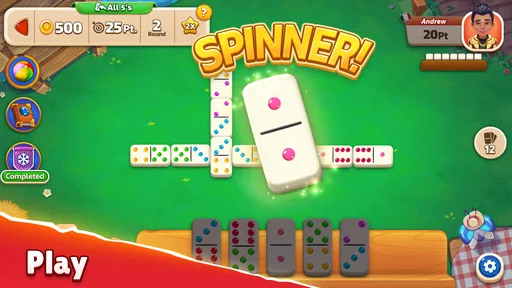
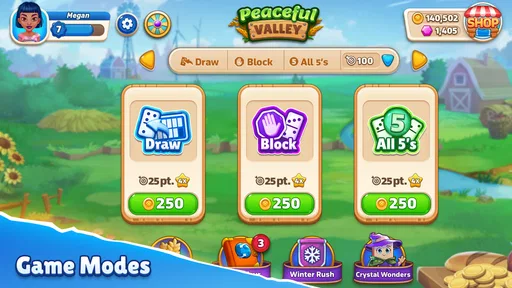

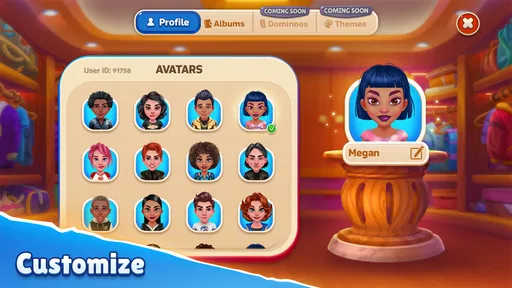




Our Review of Domino Go - Online Board Game
 Analysis by Appyee
When I stumbled upon Domino Go - Online Board Game, I felt a wave of nostalgia. Dominoes has always been a classic game, and seeing it adapted for the digital world piqued my curiosity. So, I decided to download it and see if it lived up to the charm of the real thing.
What I look for in a digital domino table
With a domino game, I care less about flashy presentation than about whether I can understand the table quickly, make a move without fuss, and find a reason to return after one match. Domino Go is a free board game from Beach Bum Ltd., and its online focus makes it most appealing when I want a game that feels social rather than a solitary way to pass time.
It is also worth thinking about what kind of domino player you are. If you already know the rules and enjoy making quick decisions against other people, an online table can be more engaging than playing alone. If you are still learning, clear explanations and a calm pace matter more than a large player pool or competitive pressure. I would decide based on that distinction before installing: the digital format is convenient, but it cannot reproduce the face-to-face feel of tiles on a table.
Who is likely to enjoy it
I would point casual players toward it when they want a familiar board game in short sessions, especially when friends are not nearby. It can also suit someone who knows dominoes but wants a convenient way to play between other tasks. A realistic use is opening a match during a quiet break, playing for a little while, and putting the phone away when the break ends; it does not require setting up a physical game or finding a group in the same room.
For a beginner, I would treat the early games as practice rather than a test of skill. Take time to learn which moves are legal and how the particular table handles turns before worrying about winning. That small change in expectations makes an online opponent less intimidating and helps you notice the choices that matter, such as whether to play a tile now or keep it for a later opportunity.
Diving into the Game
First off, downloading and installing Domino Go - Online Board Game was a breeze. Available on both Android and iOS, it took just a few taps to get started. Once inside, I was greeted with a vibrant and user-friendly interface. The colors are appealing, and the layout is intuitive, making navigation a piece of cake.
The game offers a variety of modes, from quick matches to tournaments. There’s even a practice mode, which is perfect for those who are new to dominoes or just want to brush up on their skills. I started with a quick match to get a feel for the gameplay.
Smooth Gameplay Experience
The online multiplayer aspect is where this app truly shines. Matching with players from around the world was seamless, and I didn’t experience any lag, which is essential for a smooth gaming experience. The game’s AI is also impressive; when I played against the computer, it felt challenging yet fair.
One feature that stood out to me was the in-game chat. It’s a great way to interact with opponents, adding a social element that’s often missing in digital board games. Whether you want to engage in friendly banter or strategize with a friend, the chat function is a nifty addition.
Playing online without turning every match into a commitment
Quick matches are the sensible starting point when I have only a few minutes: they let me test the controls and decide whether I want another round without planning an evening around a game. Tournaments, by contrast, make more sense when I have time to stay focused. I would not jump into one just to fill a tiny gap in the day, because a competitive format is more enjoyable when I can give it attention instead of rushing through turns.
Chat changes the feel of a match, but I see it as an optional social layer, not a reason to keep a conversation going. When I want a quiet game, I can concentrate on the board; when I am playing with someone I know, conversation can make the familiar rules feel warmer. A practical tip is to decide before a match whether I am there to socialize or simply play. That keeps chat from distracting me when I am trying to follow the tiles.
Online play also depends on having a reliable connection, so I would choose a stable Wi-Fi connection for a longer session and avoid starting a match if I know I am about to move through areas with weak service. That is not a special trick so much as a useful habit for any live multiplayer game: it reduces the chance that a brief connection hiccup interrupts a game I care about.
Design and Aesthetics
The visuals are crisp and clean. The game pieces resemble actual dominoes, and the background themes are customizable, allowing players to personalize their gaming experience. I spent some time exploring the different themes, and each one felt unique and well-designed.
The sound effects are subtle yet effective, enhancing the experience without being overwhelming. From the click of the dominoes to the celebratory tunes when you win, the audio complements the gameplay perfectly.
Small choices that make mobile play easier
On a phone, clarity matters more than decoration because I am scanning a compact board rather than a full-sized table. I would take a moment to settle on a background that keeps the tiles easy to distinguish, then leave it alone during a match instead of spending time browsing themes when I could be learning the game. Customization is most useful when it improves comfort, not when it becomes a distraction.
Sound is similarly personal. The effects can make moves feel more tangible, but they are not essential to understanding a board game. If I am playing somewhere quiet or sharing a room, muting the phone is an easy way to keep a casual session considerate. I would still pay attention to the screen, since the visual board is what I need to follow the action.
Learning Curve and Accessibility
For newcomers to dominoes, the app includes a handy tutorial that walks you through the basics. The instructions are clear and concise, making it easy for anyone to pick up the game. I found the tutorial particularly useful for understanding the different game modes and strategies.
Accessibility is another strong point. The app supports multiple languages, ensuring that players from different regions can enjoy the game without any language barriers. Plus, the adjustable difficulty levels mean that both beginners and seasoned players can find a challenging match.
How it compares with other ways to play
Compared with a physical domino set, this app wins on convenience: I can start without arranging tiles, clearing a table, or waiting for another person to be available in the same place. A real set is still better for reading body language, teaching a child beside me, or making an occasion out of a family game. If the social ritual matters more than instant access, I would choose the physical set instead.
Against a simple offline domino app, the main appeal here is the online and social side, including matches with other players and chat. A basic solo game may be a better fit if I want to play privately, avoid online interaction, or use a game as a quiet distraction. And if my priority is a different kind of board-game challenge, a strategy-heavy title may hold my attention longer than familiar domino rules. The right choice depends on whether I want accessible, recognizable play or something more involved.
The game’s average rating is 4.5 from around 43,000 ratings, and it has more than a million installs. Those figures suggest it has found a substantial audience, but they cannot tell me whether its pace, social features, or style suit a particular player. I would use them as a reason to consider it, not as a substitute for deciding what I want from a domino game.
Monetization and In-App Purchases
Like many free apps, Domino Go incorporates in-app purchases. Players can buy coins to unlock special features or enhance their gameplay. However, I appreciated that the game doesn’t feel pay-to-win. You can enjoy playing without spending a dime, which is a refreshing change in today’s gaming landscape.
Ads are present but not intrusive. They pop up occasionally between matches, but they’re easy to dismiss and don’t disrupt the overall experience. If you prefer an ad-free experience, there’s an option to remove them via a small purchase.
What to consider before spending or switching
Free to download does not mean every optional purchase will be small: in-app items range from $0.99 to $349.99 each. I would check the price shown for an item in the app before confirming anything, and decide on a personal spending limit before browsing purchases. If I am installing it for a child, I would also make sure purchases are controlled through the device’s settings rather than relying on a child to distinguish virtual extras from ordinary play.
There is little reason to spend immediately if I am still deciding whether the rules and match style suit me. I would first try the available play options, then consider a purchase only if a particular extra clearly improves how I use the game. Switching to another domino app is relatively easy in principle, but the habit of playing with familiar opponents or enjoying a particular interface can be harder to replace than the download itself. I would try an alternative when the online interaction, pace, or purchase prompts become more of a nuisance than a benefit.
Practical fit, age, and device expectations
The game is rated Everyone and is suitable for a broad audience, which makes its familiar board-game premise easy to share across ages. Still, I would not assume that every child will enjoy online play or want to interact with strangers. For a younger player, I would stay nearby at first, explain that chat is optional, and review the device’s purchase controls together. Those are sensible precautions for a social mobile game, even when the underlying activity is a classic family game.
On Android, the listed minimum operating system is version 7.0, and the current version is 4.5.29. I would check that my device meets the requirement before troubleshooting an installation problem. The game is free to download, but that should not be confused with a promise that every part of the experience is free of ads or optional spending.
Final Thoughts
Overall, Domino Go - Online Board Game is a delightful digital adaptation of a classic game. It successfully combines traditional gameplay with modern features, making it appealing to both old-school domino enthusiasts and new players. Whether you’re looking to kill some time or engage in competitive matches, this app offers a fun and engaging experience.
So if you’re a fan of board games or just looking for a new app to try out, give Domino Go a shot. It’s a great way to enjoy a classic game with a fresh twist, all from the comfort of your smartphone.
My recommendation
I would recommend it to someone who already likes dominoes, wants to play online, and appreciates the option to practice before facing other people. Its combination of familiar rules, different ways to play, and social interaction gives it a clear purpose beyond being a digital tile rack. The game is developed by Beach Bum Ltd., and its broad age rating makes it an approachable choice for casual players who want a recognizable board game on a phone.
I would skip it if I mainly want a private, offline pastime, dislike chat or ads, or prefer a game with deeper strategic systems than dominoes. In those situations, a simple solo alternative, a physical set, or another style of board game may be a better match. For everyone else, I think it is worth trying before spending: start with a quick game, learn the interface at your own pace, and see whether the online table feels like a fun extension of dominoes or simply not the way you prefer to play.
Verdict
Strengths of Domino Go - Online Board Game
- Engaging multiplayer mode.
- Intuitive user interface.
- Regular updates and events.
- Cross-platform compatibility.
- Low data consumption.
Limitations of Domino Go - Online Board Game
- In-app purchases can be pricey.
- Occasional connectivity issues.
- Limited offline features.
- Ads can be intrusive.
- Requires account sign-up.
Other Releases by Beach Bum Ltd.
View All


Similar Picks in This Category
View All
Ludo King®
Gametion4.1

Ludo
Yarsa Games4.6

Tile Master® - Matching Game
Higgs Studio3.6

Checkers Online
CC Games4.6

Dominoes
Loop Games4.7

Chess
Chess Prince4.6
Frequently Asked Questions
What is Domino Go - Online Board Game?
Domino Go is a digital version of the classic board game that allows players to enjoy dominoes online. It offers multiplayer features, various game modes, and the ability to connect with friends or players worldwide. The app is designed to provide an engaging and interactive experience for both casual and serious domino enthusiasts.
Is Domino Go available for both Android and iOS devices?
Yes, Domino Go - Online Board Game is available for download on both Android and iOS platforms. You can find it on the Google Play Store for Android devices and the Apple App Store for iOS devices. The game is compatible with a wide range of devices, ensuring a smooth gaming experience.
Does Domino Go offer any in-app purchases?
Domino Go is free to download, but it does offer in-app purchases. These purchases can enhance gameplay by unlocking additional features, themes, or game modes. While the game is fully playable without spending money, some players may choose to make purchases to personalize their experience or progress more quickly.
Can I play Domino Go with friends?
Absolutely! Domino Go - Online Board Game includes a multiplayer feature that allows you to invite friends to join your game or compete against other players online. You can connect with friends via social media or by sharing game links, making it easy to enjoy a match with anyone, anywhere.
What are the system requirements for Domino Go?
Domino Go requires an Android device running version 5.0 or higher, or an iOS device with iOS 10.0 or later. The app is optimized for both phones and tablets, ensuring a seamless gaming experience. A stable internet connection is recommended for the best multiplayer experience.
Play our best games!


